Angry Gran VS Naughty Cat Sim1.16
Publisher Description

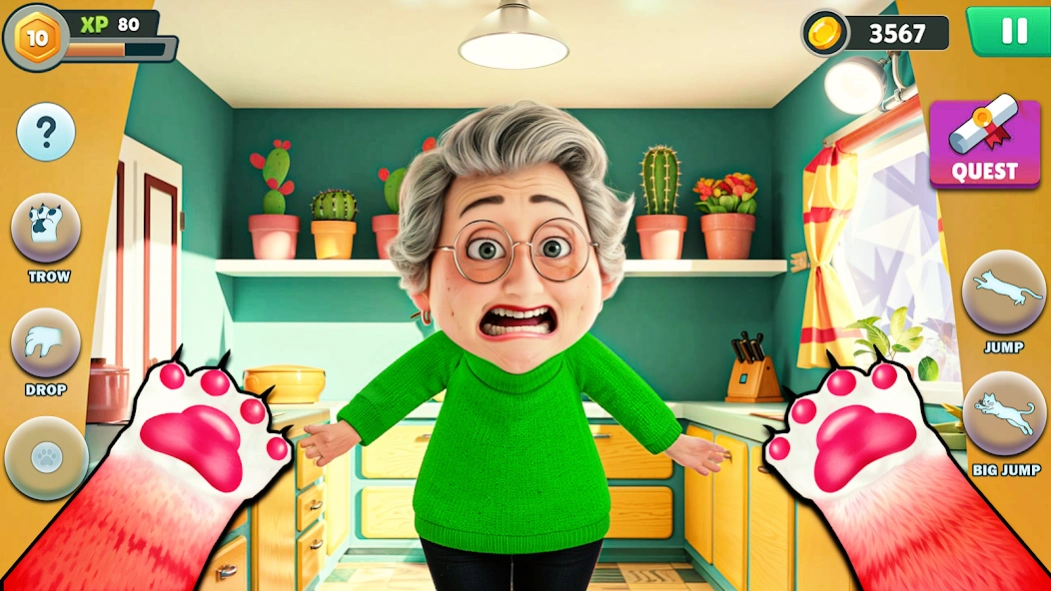


Play as a Bad cat, prank the elder Gran, hide, and cause house chaos cat escape
Get ready for endless fun in this hilarious cat simulation game! Step into the paws of a naughty cat living in a house with an elder. Your mission? Prank the elder, hide, and cause as much chaos as you can! Knock over objects, throw things, and make a mess while avoiding getting caught.
The elder won’t make it easy for you, though. They’ll chase you through the house, trying to teach you a lesson. Can you outsmart them and keep up your antics without getting caught? Explore different rooms, unlock fun actions, and discover new ways to prank.
This game is packed with humor, excitement, and nonstop action. With simple controls and hilarious gameplay, you’ll enjoy every moment of being a bad cat.
Whether you’re hiding under the couch or knocking over a vase, it’s all part of the fun. Ready to test your skills as the ultimate prankster cat? Download now and let the chaos begin
About Angry Gran VS Naughty Cat Sim
The company that develops Angry Gran VS Naughty Cat Sim is Play Zee. The latest version released by its developer is 1.16.
To install Angry Gran VS Naughty Cat Sim on your Android device, just click the green Continue To App button above to start the installation process. The app is listed on our website since 2026-01-29 and was downloaded 0 times. We have already checked if the download link is safe, however for your own protection we recommend that you scan the downloaded app with your antivirus. Your antivirus may detect the Angry Gran VS Naughty Cat Sim as malware as malware if the download link to com.cat.chaos.prankster.grandma is broken.
How to install Angry Gran VS Naughty Cat Sim on your Android device:
- Click on the Continue To App button on our website. This will redirect you to Google Play.
- Once the Angry Gran VS Naughty Cat Sim is shown in the Google Play listing of your Android device, you can start its download and installation. Tap on the Install button located below the search bar and to the right of the app icon.
- A pop-up window with the permissions required by Angry Gran VS Naughty Cat Sim will be shown. Click on Accept to continue the process.
- Angry Gran VS Naughty Cat Sim will be downloaded onto your device, displaying a progress. Once the download completes, the installation will start and you'll get a notification after the installation is finished.
Program Details
System requirements
Download information
Pricing
Version History
version 1.16
posted on 2026-01-29
version 1.8
posted on 2025-02-25
Step into the paws of a naughty cat 🐈😹🐾
